A notebook for the curious

Every idea you save,
kept in orbit.

Capture pages, videos and posts in one click. Write in a fast block editor, share a workspace with the people you think with, and lay it all out on a canvas where your ideas can finally meet.
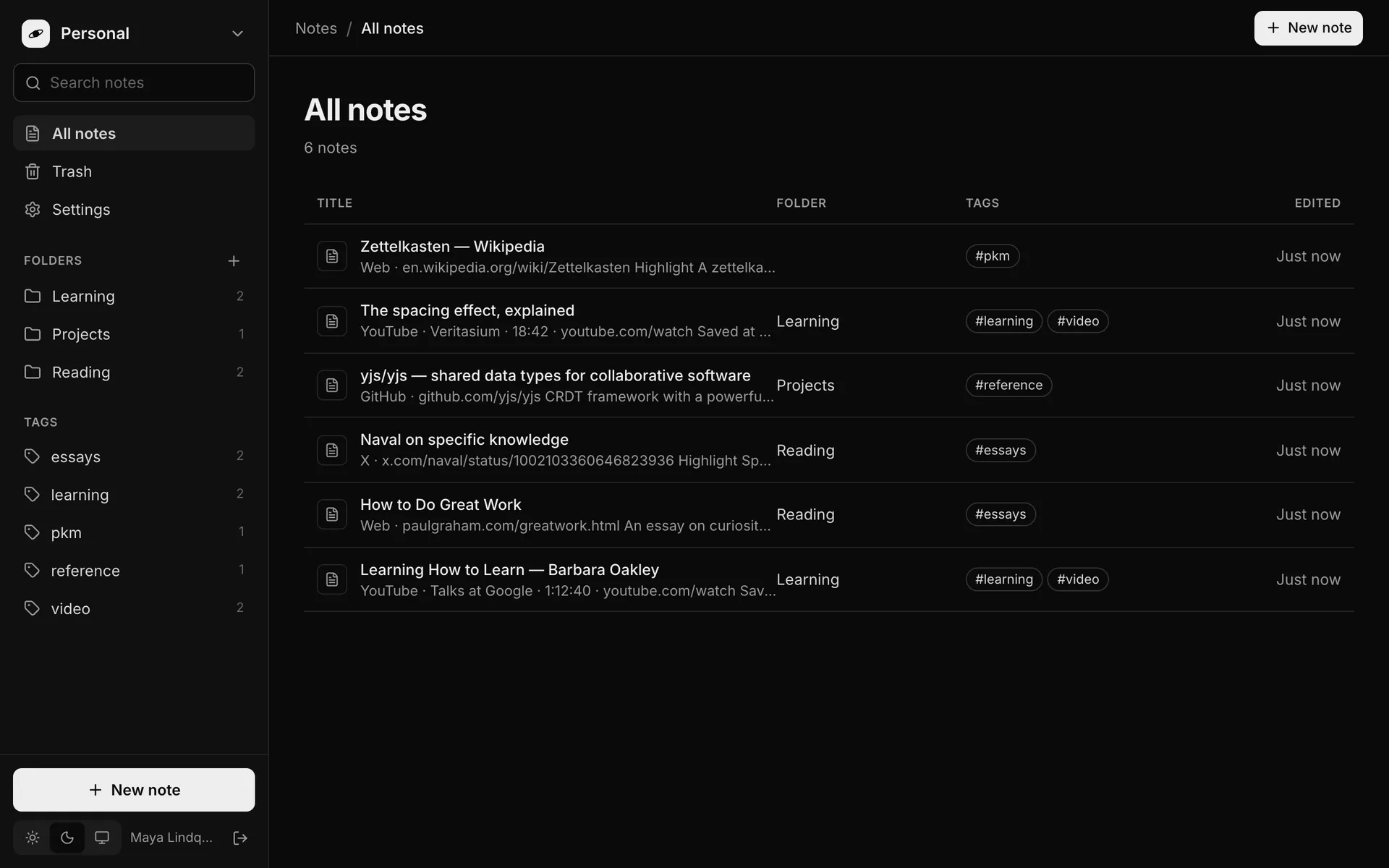
Socionaut's notes view: a sidebar with folders and tags, and a list of saved notes from YouTube, X, GitHub and the web, each with its folder and tags.

Captures from

Capture

Save in a click. Come back to the exact second.

Whole pages

Articles, docs and repos land as a note with the title, a link back to the source and its description, filed straight into a folder.

Videos, to the second

Save a YouTube video mid-watch and the note keeps the channel, the length and a link that reopens it right where you paused.

Highlights and posts

Select a passage and save just that. It becomes a quote in your note, ready for your own thoughts underneath. Posts from X, Instagram and TikTok work too.
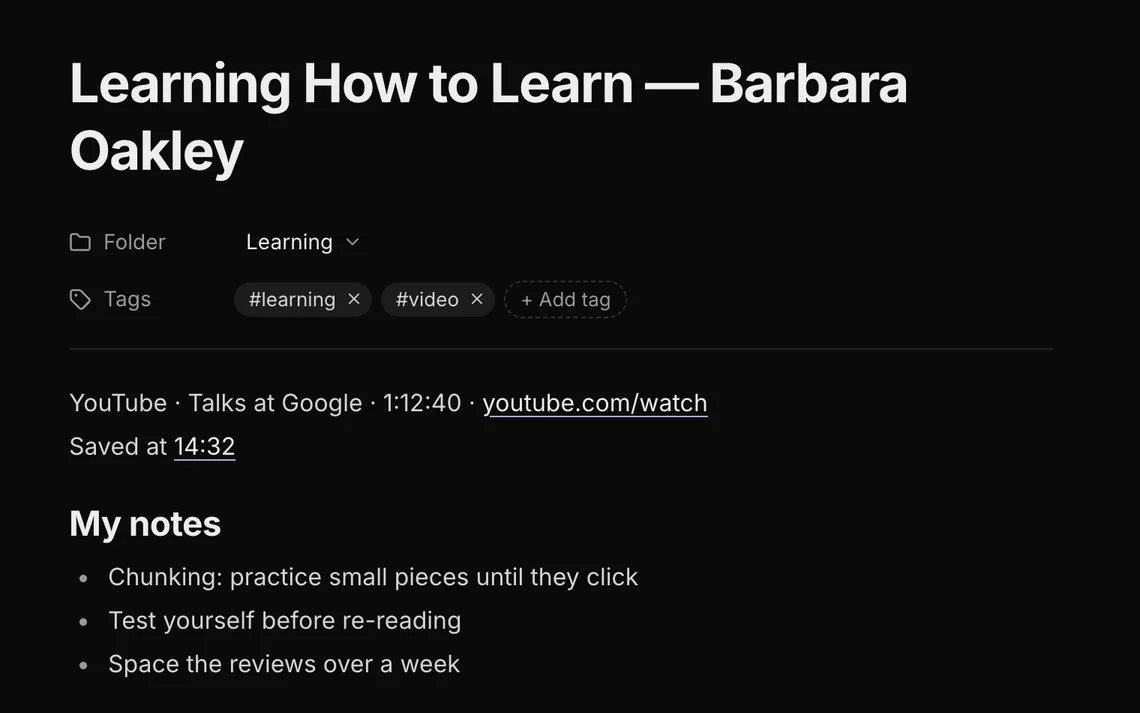
A captured YouTube talk in Socionaut: the channel, the video length, a link to the video, 'Saved at 14:32', and the viewer's bullet-point notes.
What lands in your notesA captured talk keeps its channel, its length and a timestamp that jumps back to 14:32. Your own notes sit right underneath.

Notes

Write at the speed you think.

A calm block editor that stays out of your way, with everything saved as you type.
Markdown shortcuts
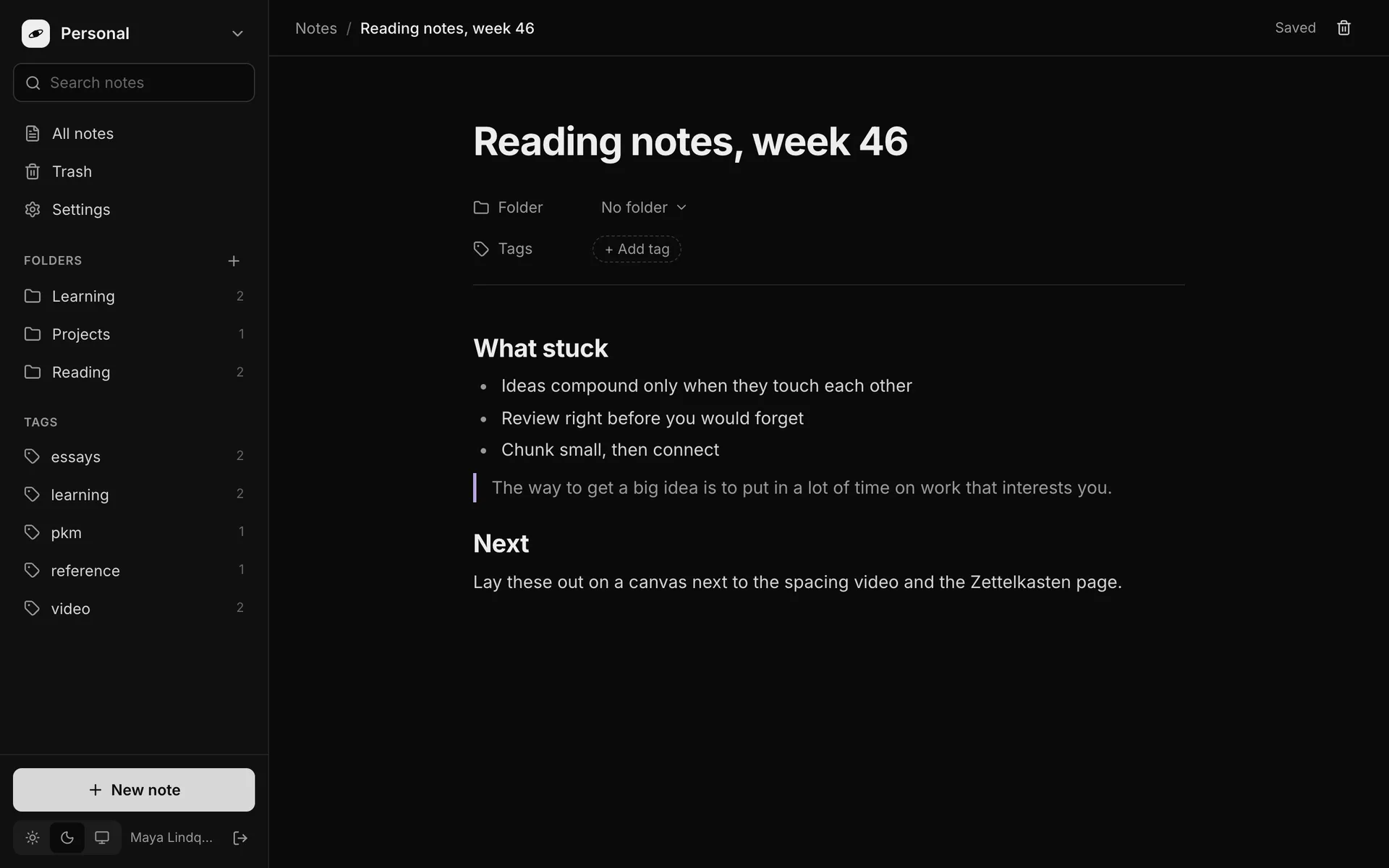
Type # for a heading, - for a list, > for a quote. No toolbar hunting.
Live sync
Every change is saved as you type and follows you to every open tab and device.
Shared workspaces
Invite people into a workspace and edit the same note together, in real time.
Folders, tags, search
File notes into folders, tag them across folders, and find anything by what it says.
A note being written in Socionaut's editor, with headings, a bulleted list and a quote, and a 'Saved' indicator in the header.

Canvas

Lay it out. Let ideas meet.

Put notes and captures side by side on an open canvas, draw the lines between them, and see the shape of what you know.
Browser extension

One click from any tab.

The Chrome extension saves whatever you’re looking at without leaving the page.

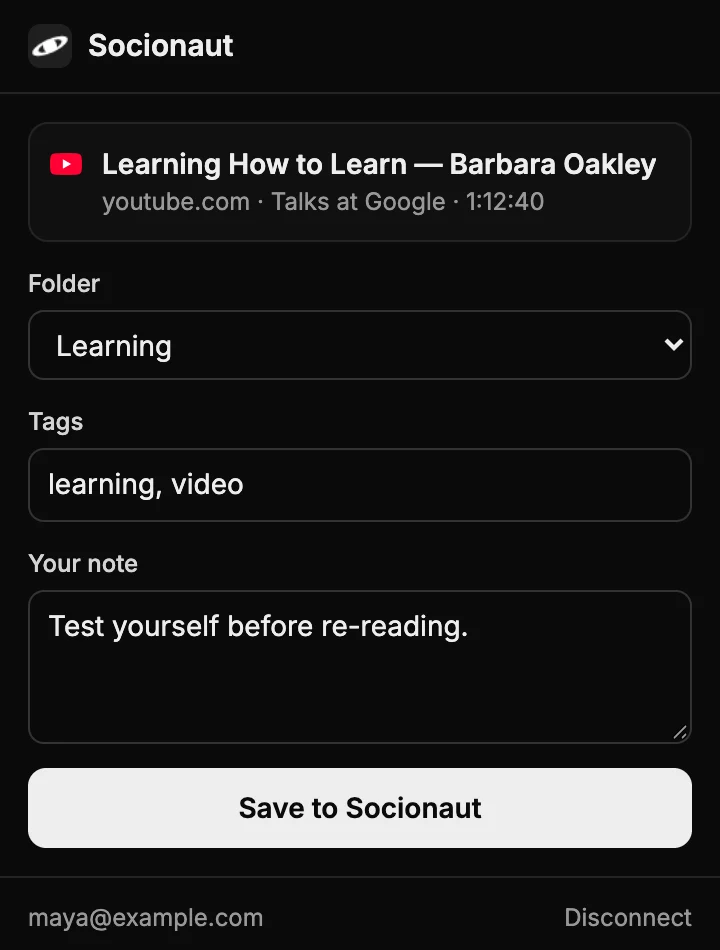
  • ToolbarClick the planet, or press Alt Shift S. Pick a folder, add tags and a line about why it matters.
  • Right-clickChoose Save page or Save selection to file it in your last-used workspace instantly.
  • Connect onceSign in to Socionaut and approve the browser. That’s the whole setup.

Your ideas deserve
a little gravity.

Start with a personal workspace. Invite people when you’re ready.